# Cart item customizer
The Cart Item Customizer feature lets you add a text input field to a product, allowing customers to provide additional details for personalization. For example, if your product is a coffee mug, buyers can enter a name, short quote, or special message to be printed on it. This information is collected during the purchase process, ensuring orders are fulfilled accurately. The feature makes personalization simple for customers and helps your store manage custom requests efficiently.

To add a Cart item customizer text input field to a product, follow these steps:
- Log into your DG1 Admin panel
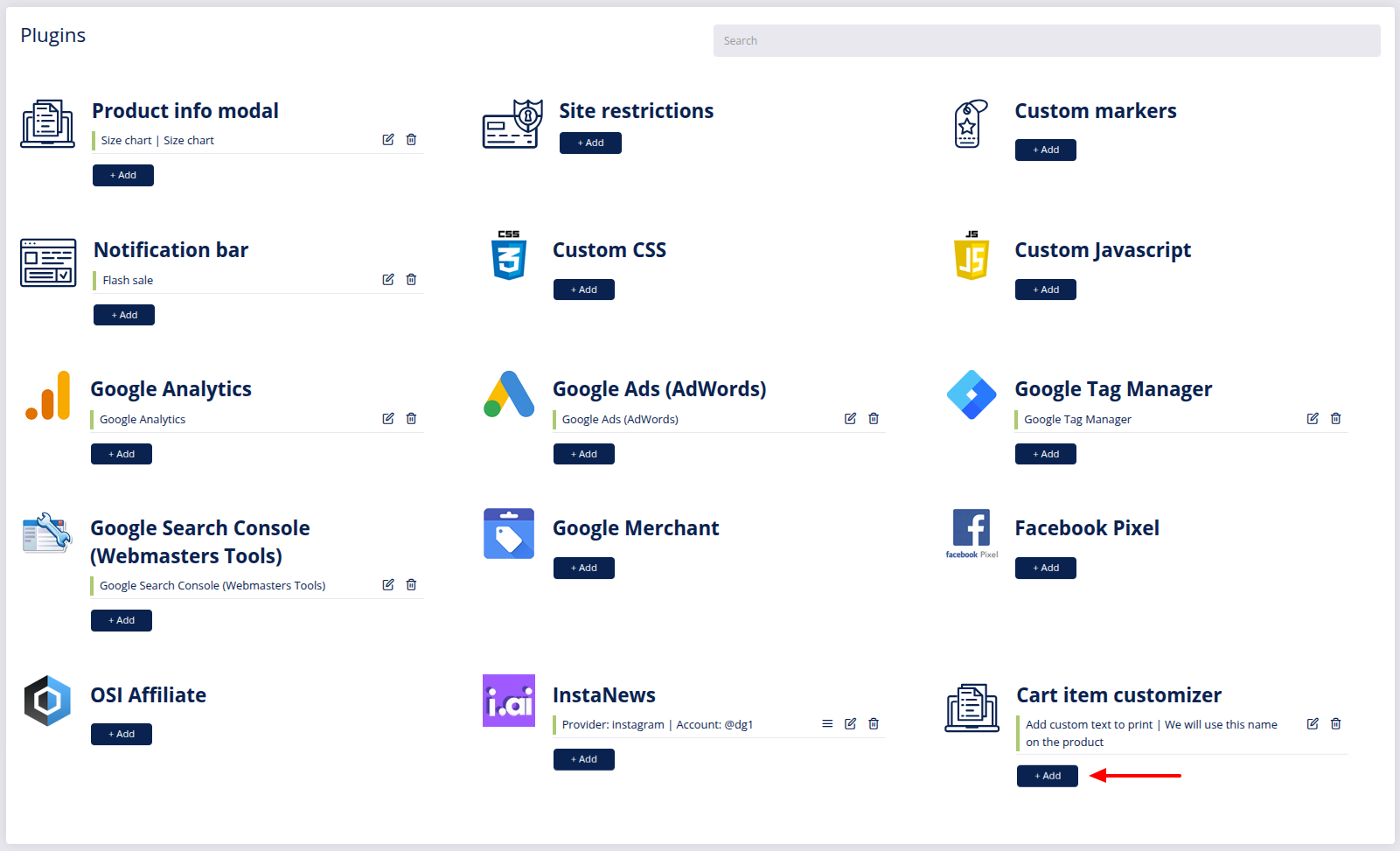
- Navigate to Plugins and create a new integration by clicking Add
 under Cart item customizer.
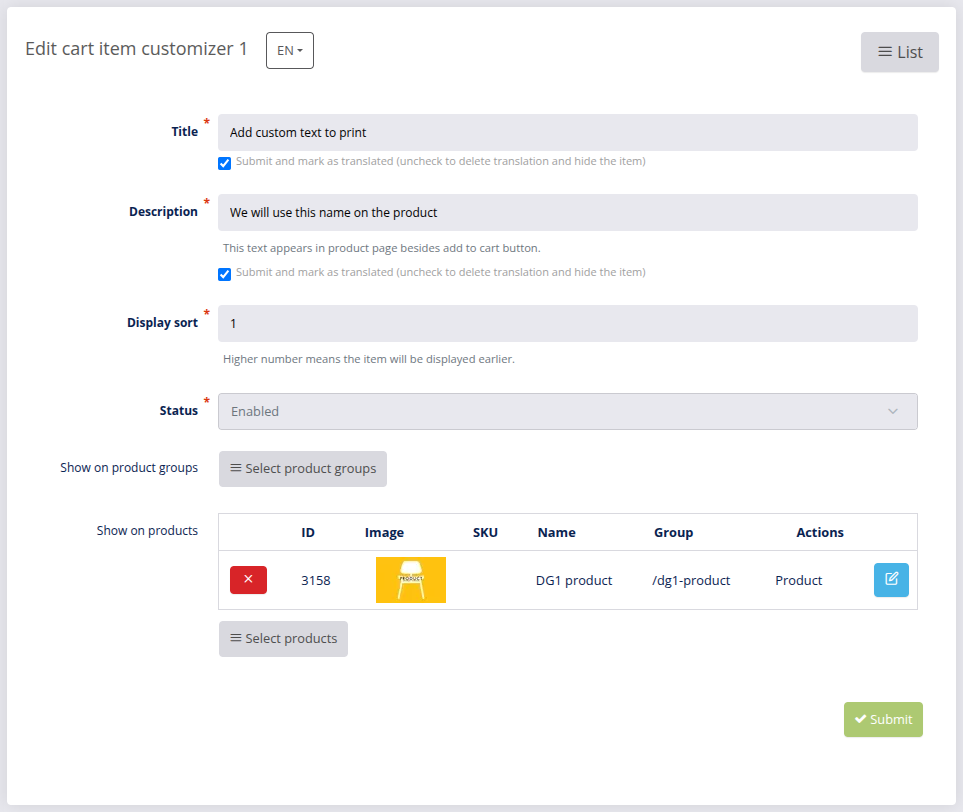
- Enter Cart item customizer details:
- Title - Enter the title of the input field. Example: Add custom text to a print
- Description - Enter a short description of the input field.
- Display sort - Enter the order number that defines where the field will be displayed.
- Status - Set the status to Enabled or Disabled to activate or deactivate the Cart Item Customizer.
- Show on product groups - Select the product groups for products where the text input field should appear.
- Show on products - Select specific products where the text input field should appear.
- After configuring all options, click Submit
 to save your settings.
Copyright © 2024 DG1 Group Holdings Inc - All Rights Reserved -
Terms of use -
Privacy Policy -
v0.5.89