# Abandoned Carts
The Abandoned Carts feature is an automated solution that detects when a customer leaves items in their online shopping cart without completing the purchase. It then sends a personalized email reminder showcasing the abandoned products, encouraging the customer to return and complete their order. The system allows you to set a follow-up delay and customize the email content to match your brand’s tone and messaging.
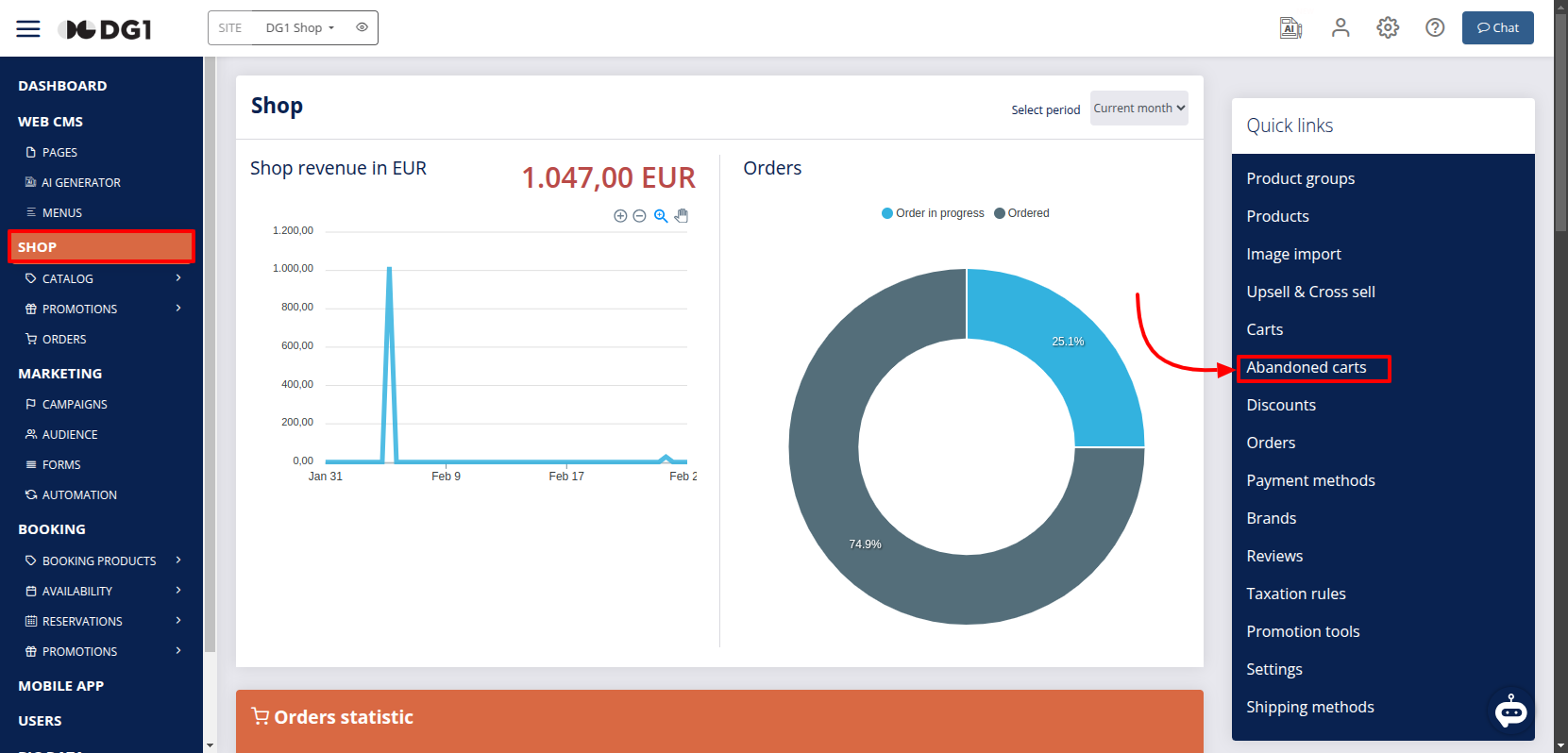
- To set the Abandoned Carts automation navigate to SHOP Dashboard and click on Abandoned Carts in the Quick links menu.
- You can configure the following options in the Abandoned carts settings:
- Abandoned carts follow up enabled – check this box to enable the feature.
- Abandoned carts follow up delay – Select the delay period (in hours) before the reminder email is sent.
- Custom email contents – Add your own message to be included in the abandoned cart email.
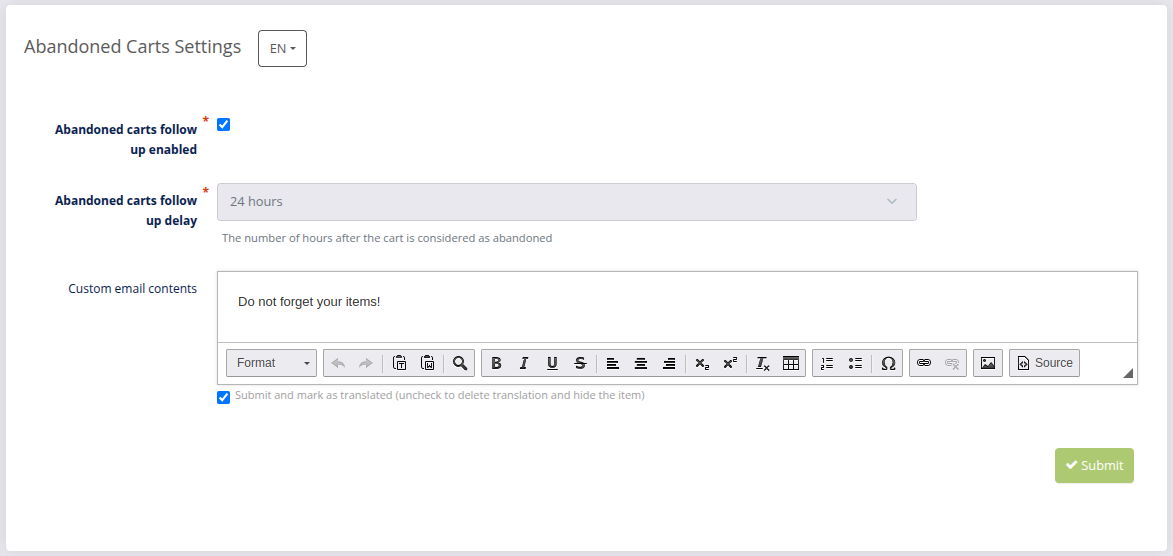
- After configuring all options, click Submit
 to save your settings.
Note
Abandoned cart emails are sent only to customers who are registered as shop users or those who have completed the quick purchase step. If a user was not logged in and left the page before providing their email address, they will not receive an abandoned cart notification.
← Carts Transactions →